
You are herecannot manage certificates from admin console on redhat directory server (redhat/fedora/389)

cannot manage certificates from admin console on redhat directory server (redhat/fedora/389)


By thomas - Posted on 16 February 2011

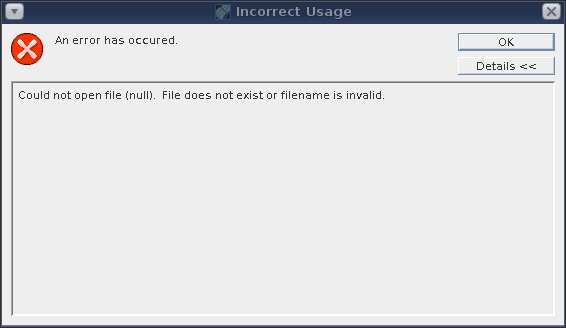
After installing certificates on the directory server and enabling ssl, the admin server wouldn't allow us to access certificates. After clicking on "Manage Certificates" on the Tasks tab, we'd get this error: An error has occured - Could not open file (null)

And this error would appear in the logs

[Wed Feb 16 10:41:04 2011] [notice] [client 192.168.0.1] admserv_host_ip_check: ap_get_remote_host could not resolve 192.168.0.1
I found this bug on the subject and saw the clue. The certificate authority for the cert must be installed on the admin server also.

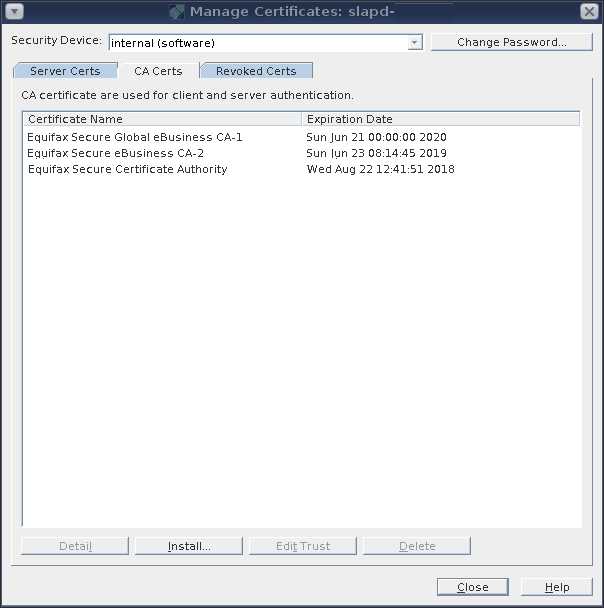
I went to the admin console, under tasks clicked Manage Certificates and saw a completely empty list under CA Certs. My cert was signed by Equifax, so I just went into /etc/pki/tls/certs/ca-bundle.crt and grabbed the text of the Equifax CA and installed the CA and trusted it.

After that Manage Certificates works on the Directory Server. Manage Certificates showing trusted CA's
The admserv_host_ip_check error still occurs so it must be unrelated to this error. I changed the AllowAccess entries in cn=NetscapeRoot, but the errors still happen in the logs...even though everything is working, go figure.

Tags

Post new comment

  • Web page addresses and e-mail addresses turn into links automatically.
  • Allowed HTML tags: <a> <em> <strong> <cite> <code> <ul> <ol> <li> <dl> <dt> <dd>
  • Lines and paragraphs break automatically.
  • You can enable syntax highlighting of source code with the following tags: <code>, <blockcode>, <bash>, </bash>, <c>, <cpp>, <drupal5>, <drupal6>, <java>, <javascript>, <latex>, </latex>, <sql>, </sql>, <php>, <python>, <ruby>. The supported tag styles are: <foo>, [foo].

More information about formatting options

Type the characters you see in this picture. (verify using audio)
Type the characters you see in the picture above; if you can't read them, submit the form and a new image will be generated. Not case sensitive.